Guest
No app, no account.
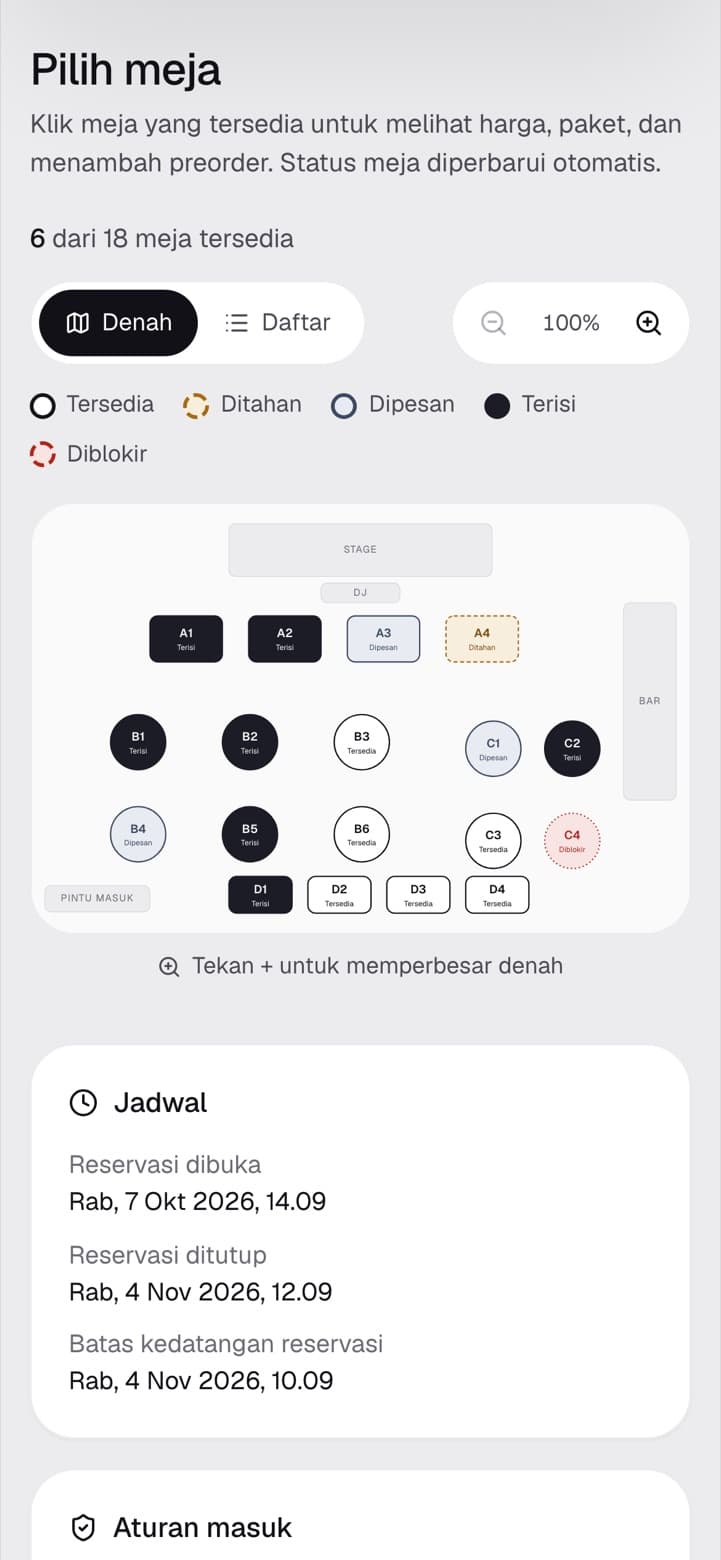
- Book a table on the floor plan
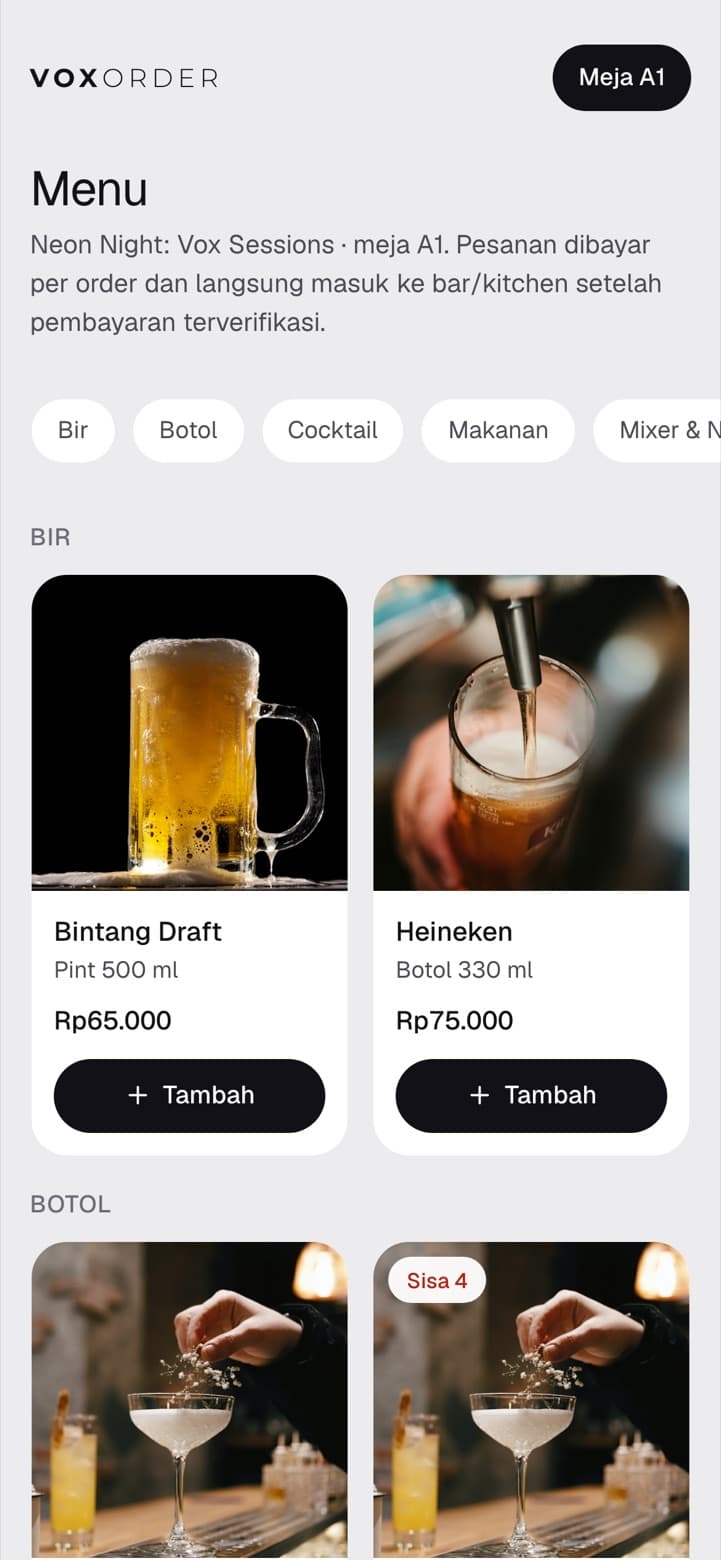
- Order and pay from the table QR
- Counter pickup and walk-in
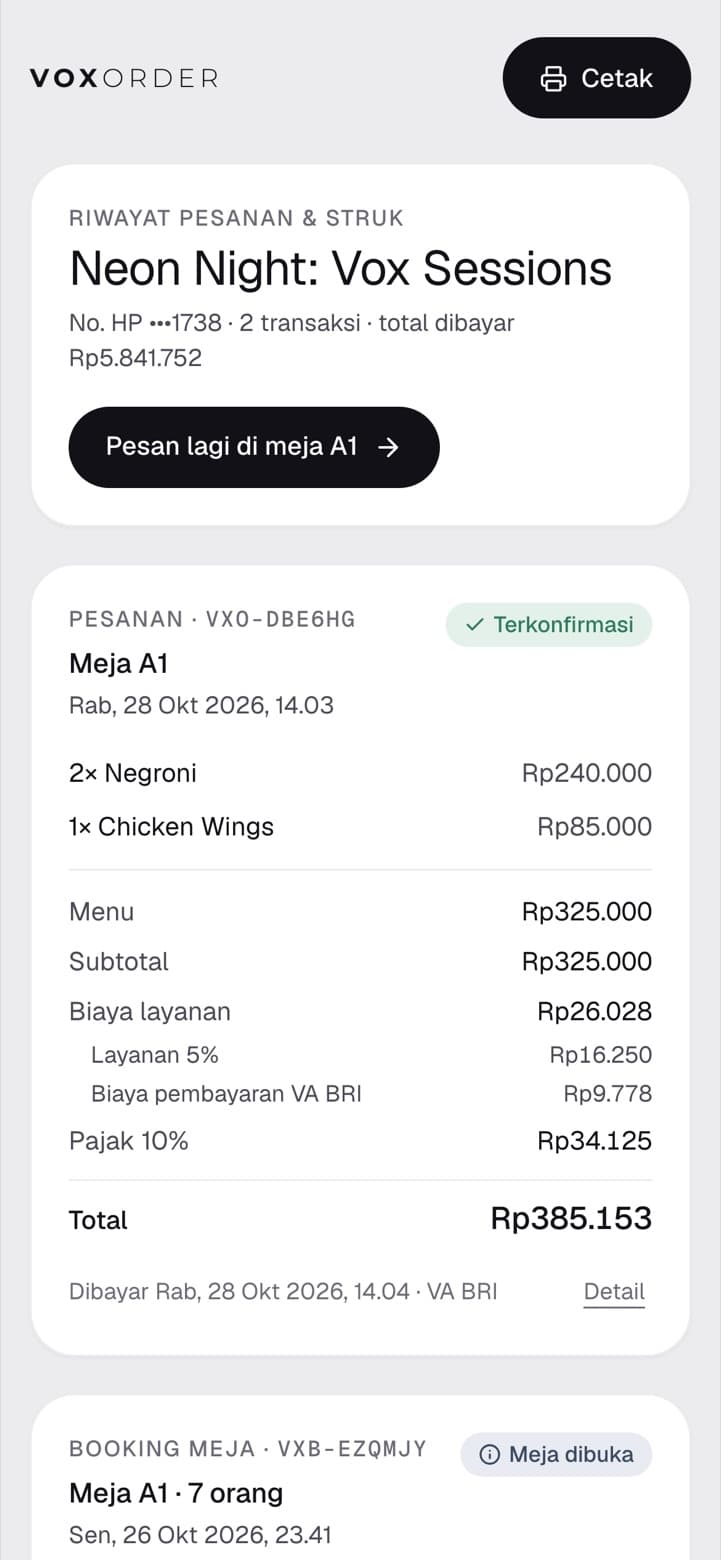
- Order history via WhatsApp link
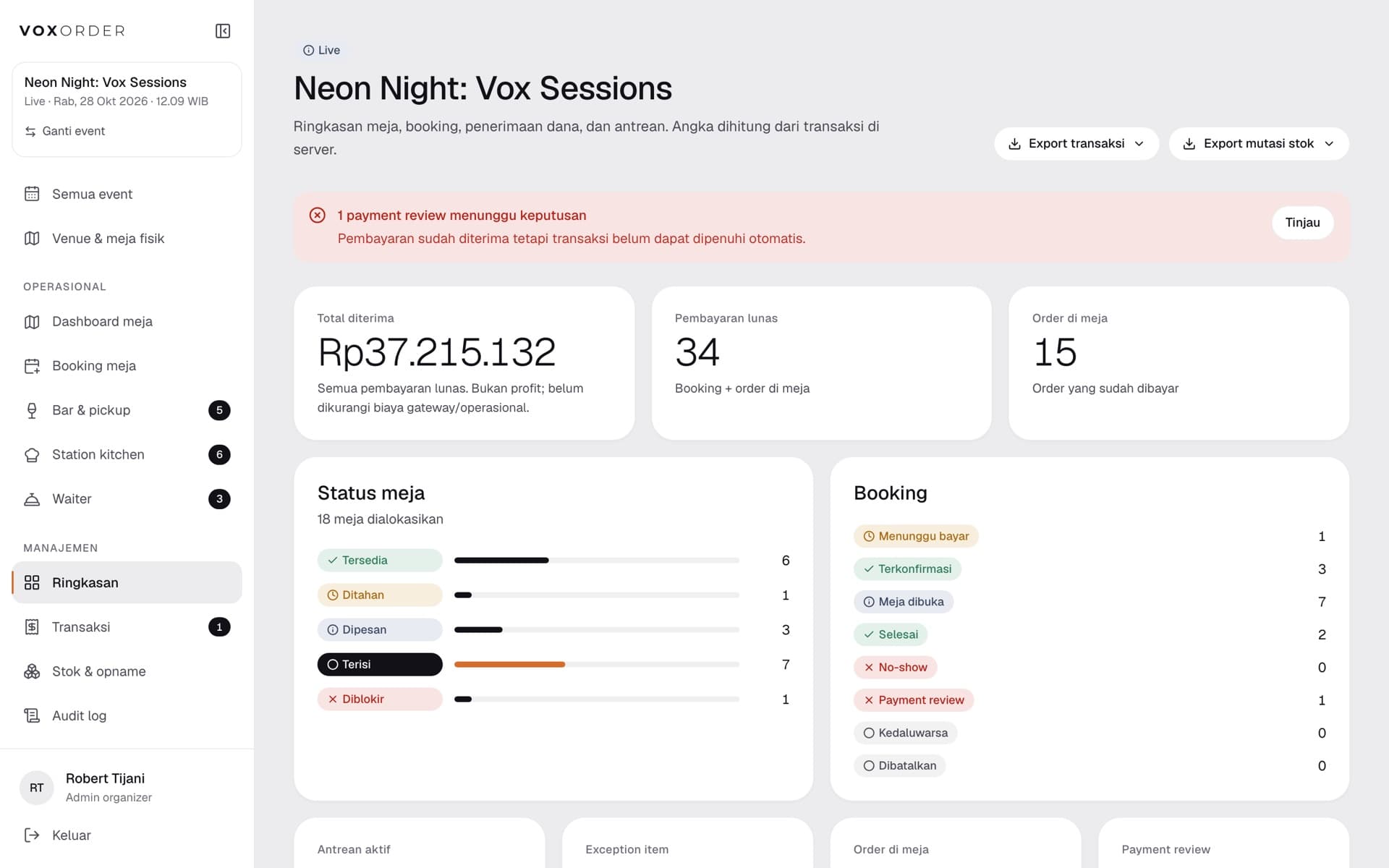
Inside VOXORDER
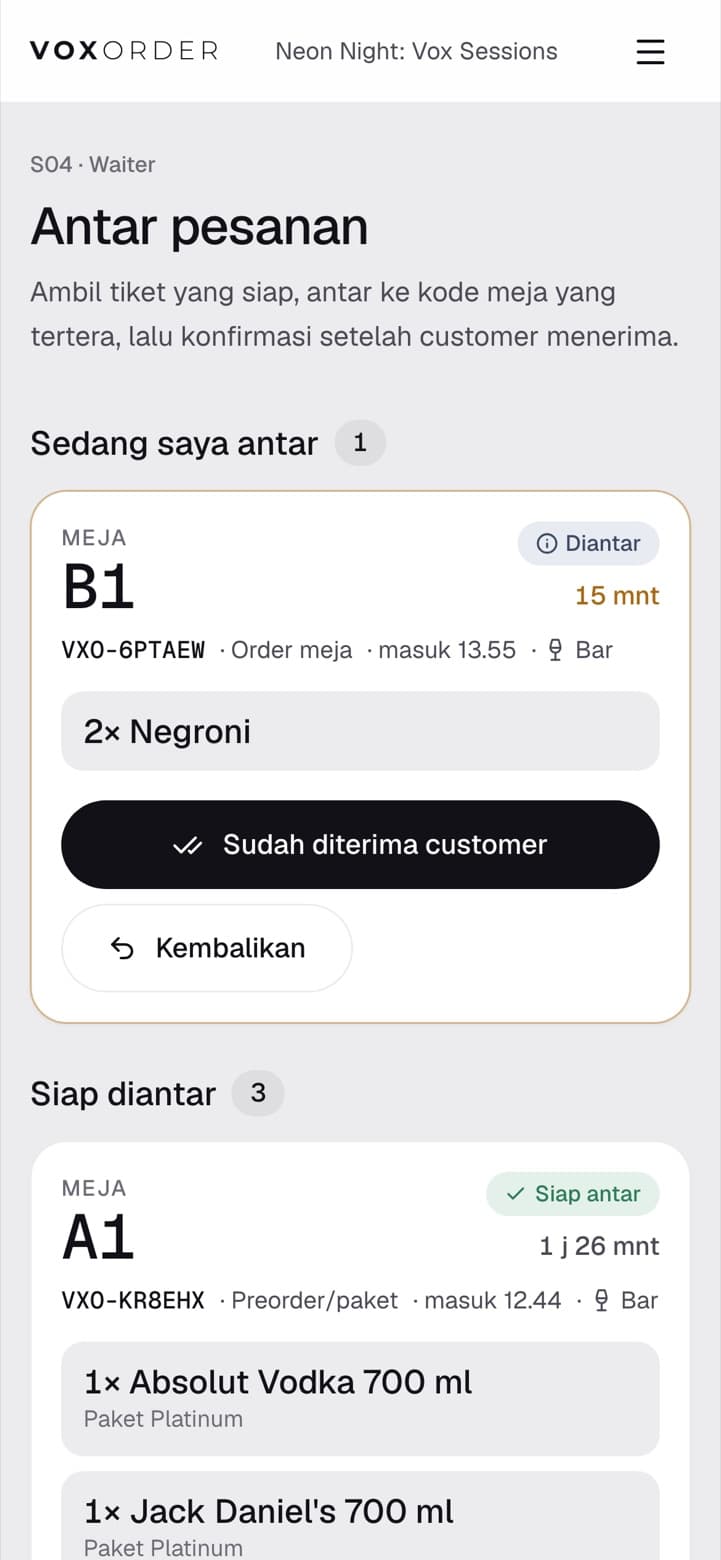
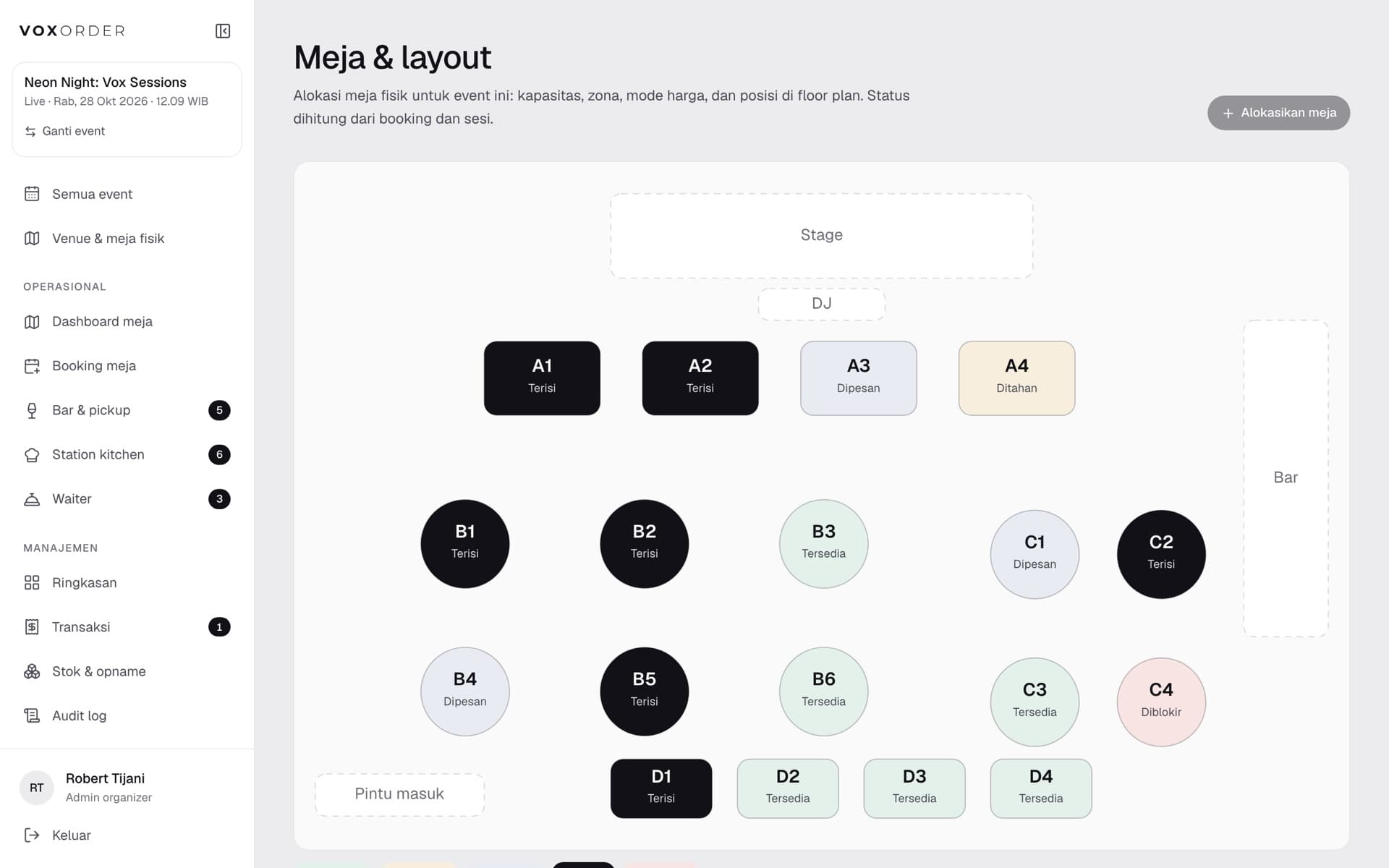
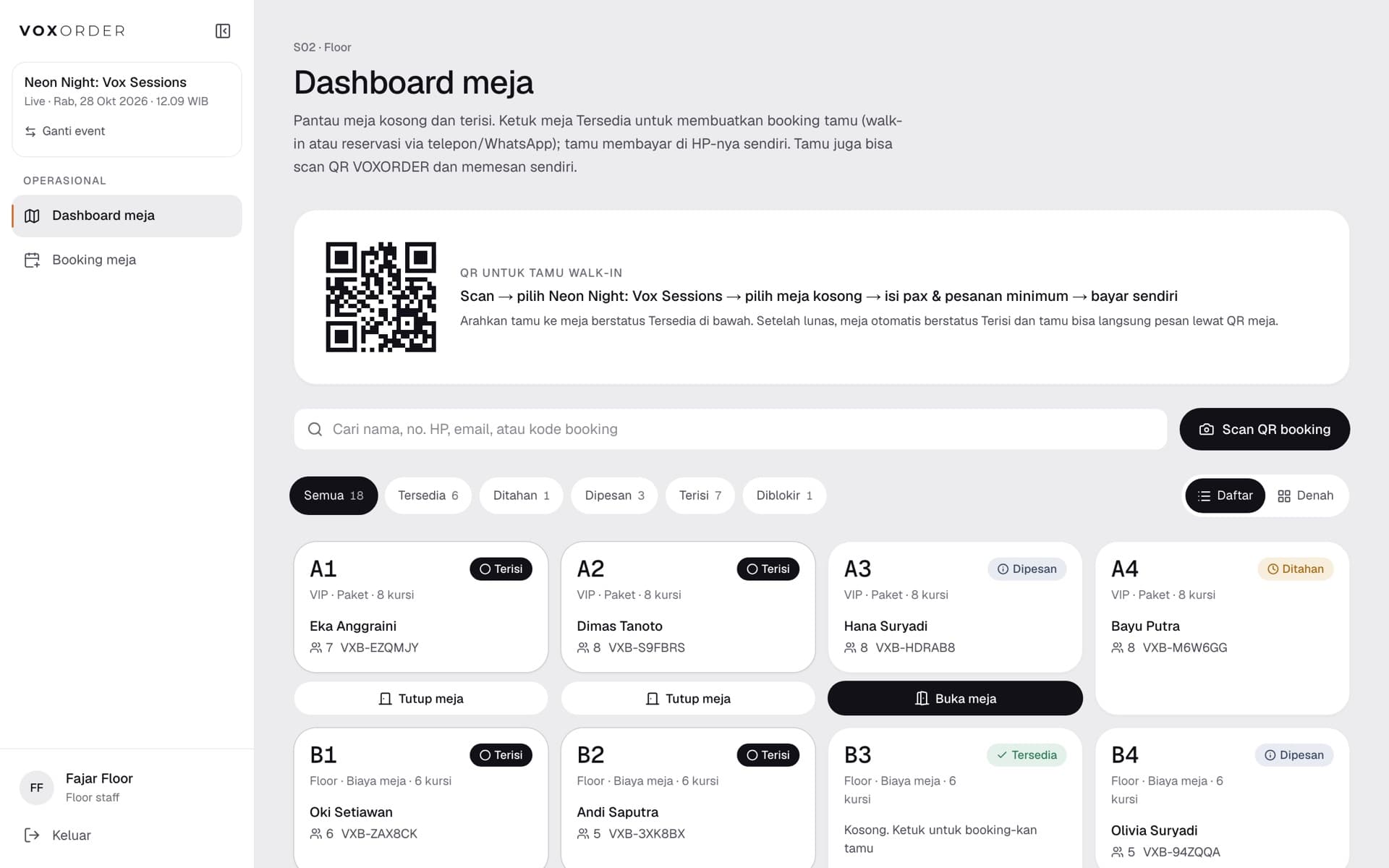
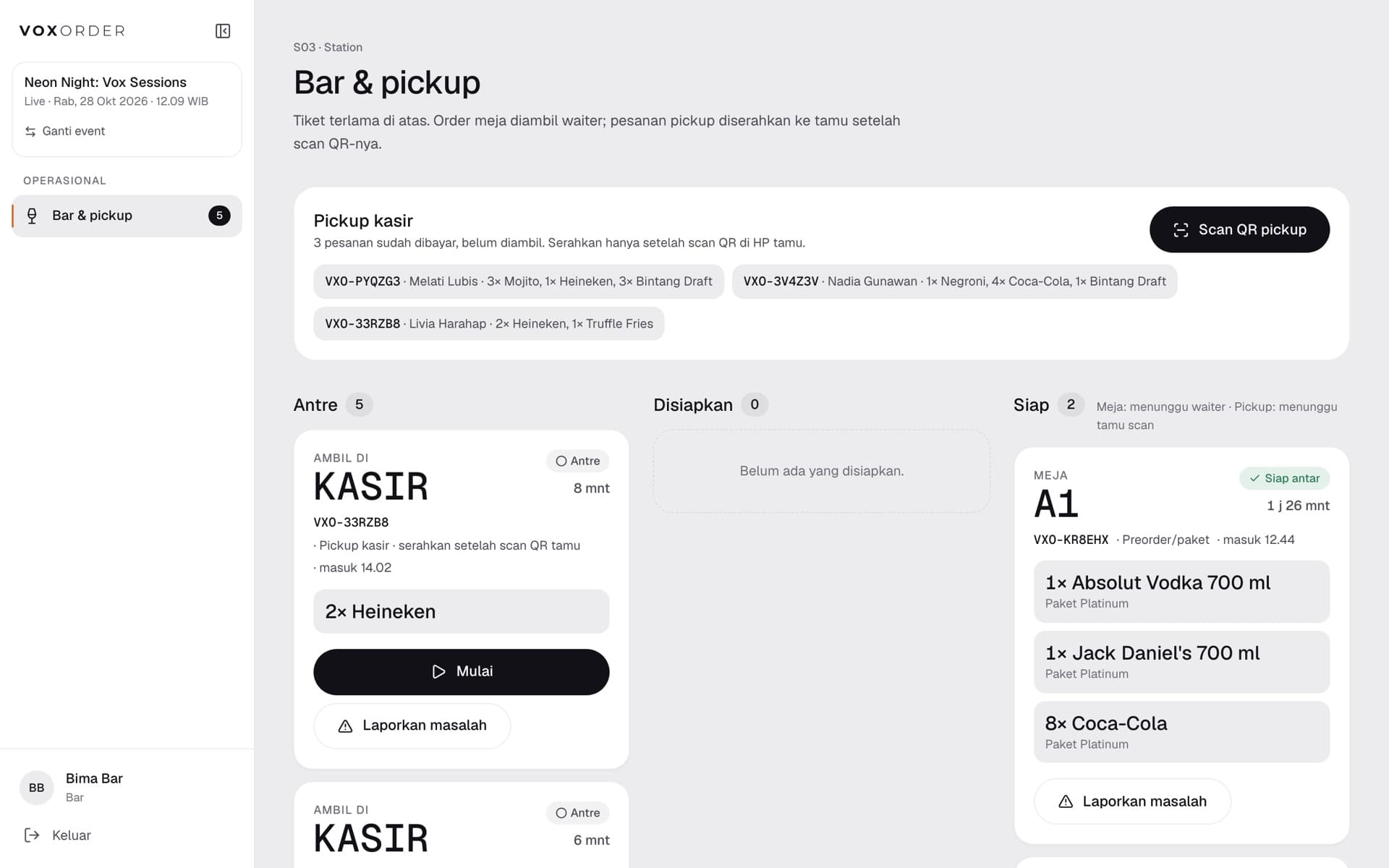
Why VOXORDER
Guests pick the exact table, see what is included, and pay a booking fee, a minimum spend, or a package.
Scan the QR on the table, browse the menu with photos, pay with QRIS, e-wallet or virtual account.
Every paid order splits into station tickets that move from new to ready to delivered, in real time.
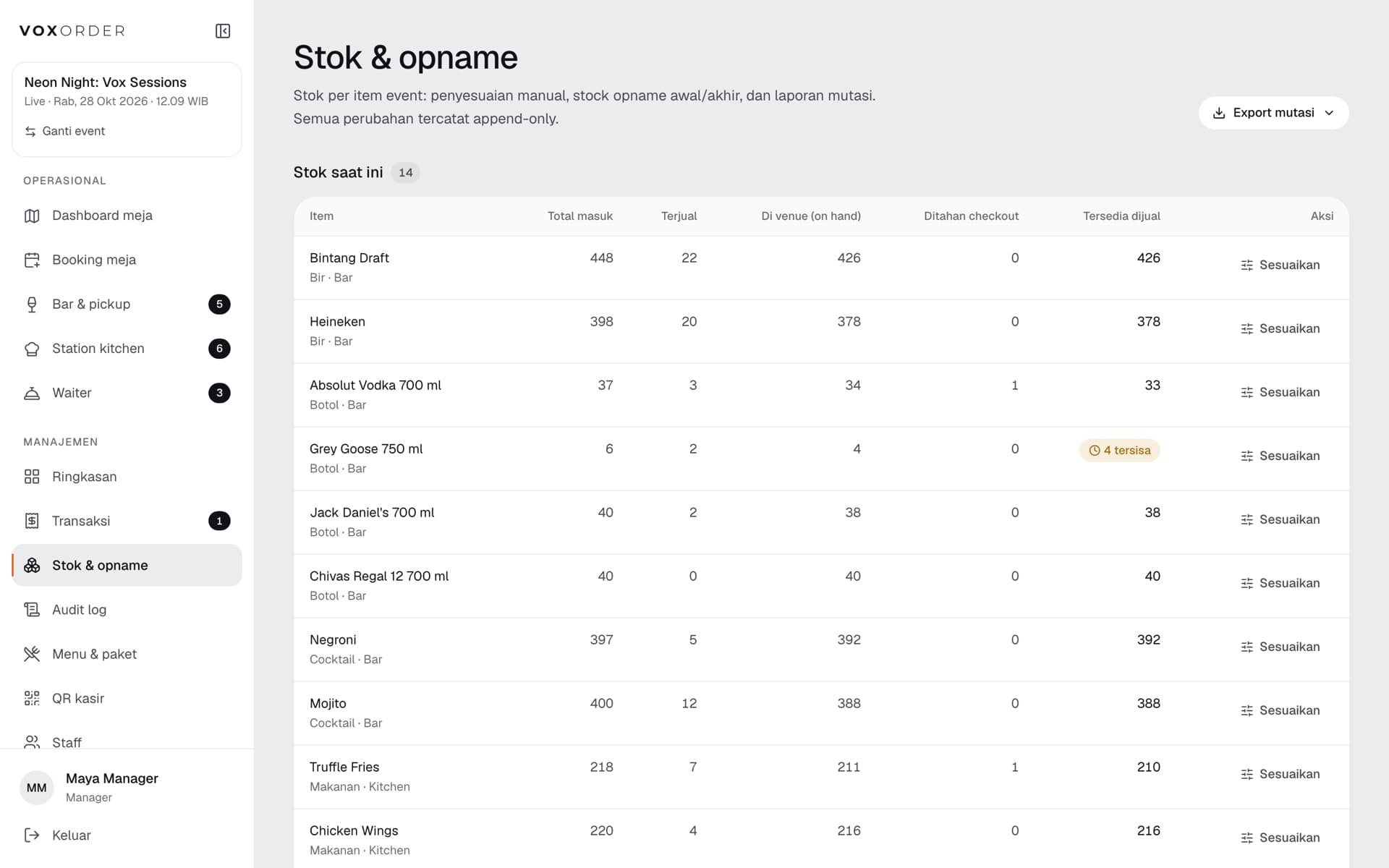
Opening and closing opname, restocks, damage and mutation reports per event.
How it works
01
The guest chooses a table on the event floor plan, adds a package or preorder, and pays.
02
Floor staff scan the booking QR; the table opens and the preorder goes to the bar.
03
Everyone at the table scans the table QR and orders from their own phone.
04
Bar and kitchen prepare from live queues; waiters claim and deliver.
05
The table closes, minimum spend is settled, and the manager reconciles sales and stock.
Every role, one system
All of these roles are open in the demo. Ask us for a login and try each one yourself.
No app, no account.
Sets up the night.
Watches the money.
Runs the room.
Makes the orders.
Brings them over.
Try it now
The demo is filled with sample events, orders and reports. Change anything you like: payments are simulated, emails stay inside the demo, and the data is reset regularly.
Try it in one click. For the other roles, ask us for a login on WhatsApp.
Guest: No account needed — book a table, scan a table QR, order and pay. The links are open to everyone on the demo login page.
Tell us about the event. We set it up with you, train your crew, and stay on call on the night.